
Dice Cube1.4 - Google Play
You'll be able to see results in few seconds.
Publisher Description
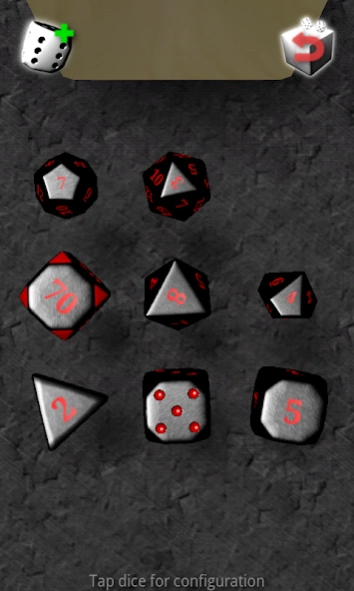

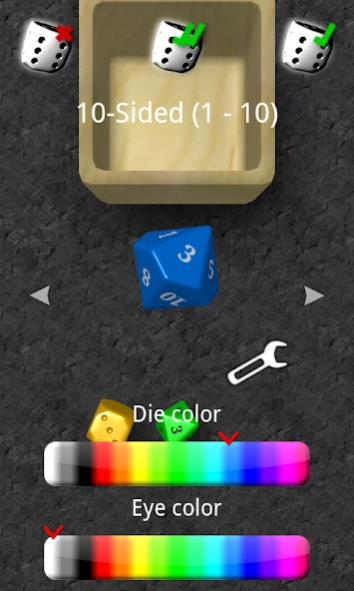
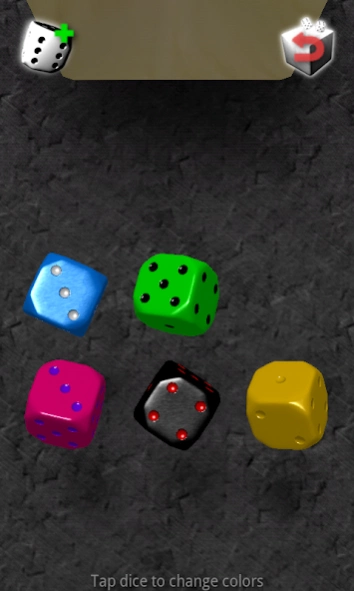
Engrave own labels, shake your phone and roll dice in smooth 3D!
Imagine a box with dice right beneath your display, waiting for being shaken to generate true random dice results! The dice in this app react precisely to the movement of your hand by emulating real-world physics, influenced by the acceleration sensors of your device. The dice roll results offer a high degree of true randomness through your movements. The modern Open GL ES 2.0 graphics support your experience with detailed and colorizable dice models.
App features:
- no app permissions required, no annoying ads!
- NEW: use your own freely configurable text labels on your dice!
- NEW: choose to roll dice with 4, 6, 8, 10, 12 or 20 sides (d4, d6, d8, d10, d12, d20)!
- NEW: choose the magic die which alters its labels randomly on impacts! With this die you can have any number of sides!
- NEW: configurable label range
- realistic physics using rigid body simulation
- entropy generation through the movement of your hands, leading to truly random dice rolls
- configurable color and count of dice, currently up to 9 per toss
- selected dice can be put aside between two tosses (e.g. for Yahtzee ®)
- modern, fast and believable graphics based on Open GL ES 2.0 with shaders
If you like this software please consider supporting us by rating this app. If you have suggestions or encounter problems with this app please leave a message to dicecube@mathfactorysoftware.com
About Dice Cube
The company that develops Dice Cube is Mathfactory. The latest version released by its developer is 1.4.
To install Dice Cube on your Android device, just click the green Continue To App button above to start the installation process. The app is listed on our website since 2014-03-18 and was downloaded 0 times. We have already checked if the download link is safe, however for your own protection we recommend that you scan the downloaded app with your antivirus. Your antivirus may detect the Dice Cube as malware as malware if the download link to de.mathfactory.dicecube.full is broken.
How to install Dice Cube on your Android device:
- Click on the Continue To App button on our website. This will redirect you to Google Play.
- Once the Dice Cube is shown in the Google Play listing of your Android device, you can start its download and installation. Tap on the Install button located below the search bar and to the right of the app icon.
- A pop-up window with the permissions required by Dice Cube will be shown. Click on Accept to continue the process.
- Dice Cube will be downloaded onto your device, displaying a progress. Once the download completes, the installation will start and you'll get a notification after the installation is finished.
Program Details
System requirements
Download information
Pricing
Version History
version 1.4
posted on 2014-03-18
Version 1.4:,- Bug fix: fixed crash when using magic dice with label range end less than range start. Thanks for the crash reporting!,Version 1.3:,- Bug fix: fixed crash when using empty labels,Version 1.2:,- NEW: custom labels! Choose your own text labels for your dice!,- Screen turnout disabled,- Better battery saving: Not refreshing screen contents when app is idle
Disclaimer
Official Google Play Link
We do not host Dice Cube on our servers. We did not scan it for viruses, adware, spyware or other type of malware. This app is hosted by Google and passed their terms and conditions to be listed there. We recommend caution when installing it.
The Google Play link for Dice Cube is provided to you by apps112.com without any warranties, representations or guarantees of any kind, so access it at your own risk.
If you have questions regarding this particular app contact the publisher directly. For questions about the functionalities of apps112.com contact us.
